I spent a month with the Huawei MatePad Air, and it's confirmed my one big wish for the next iPad Air
Huawei, as a brand, is in a very interesting place right now.
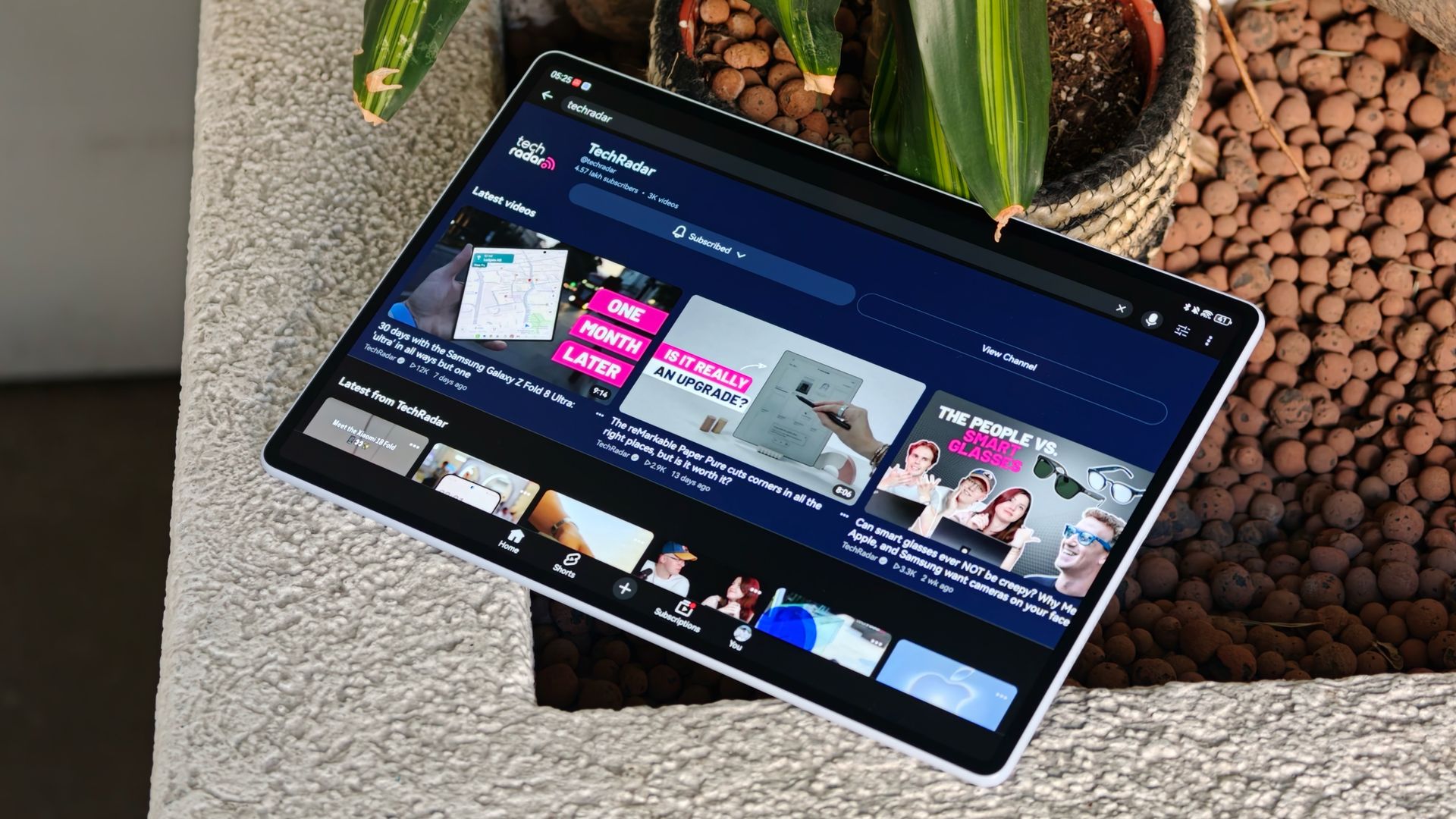
<![CDATA[ <article> <p>Huawei, as a brand, is in a very interesting place right now. The company is genuinely innovating on a lot of fronts. It just launched the Mate XT2 tri-folding phone, which brings Samsung-like <a href="https://www.techradar.com/phones/samsung-galaxy-phones/everyone-is-talking-about-the-galaxy-s26-ultra-privacy-display-but-theres-one-major-problem">Privacy Display tech</a> to the tri-folding form factor, as well as the <a href="https://www.techradar.com/health-fitness/smartwatches/huawei-launches-its-watch-d3-its-latest-iteration-of-its-mechanized-blood-pressure-cuff-watch-that-aims-to-outstrip-apple-and-googles-achievements-with-led-tech">Watch D3</a>, which puts medical-grade blood pressure measurements into an even slimmer smartwatch.</p><p>But the problem with Huawei has always been that you can't buy a lot of the company's devices in markets outside Asia. And while that doesn't look like it's changing anytime soon, every once in a while, Huawei does launch some products in the West, and it reminds us (again) of what we're missing from other major hardware makers.</p><p>That's exactly what happened with the new Huawei MatePad Air. I usually use my still-going-strong M1 <a href="https://www.techradar.com/reviews/ipad-air-2022">iPad Air (2022)</a> as my main tablet, but I've spent the past month using the MatePad Air as my primary device. And it has shown me the one upgrade Apple could make that would probably convince me to finally buy the next iPad Air.</p><figure class="van-image-figure inline-layout" data-bordeaux-image-check ><div class='image-full-width-wrapper'><div class='image-widthsetter' style="max-width:2560px;"><p class="vanilla-image-block" style="padding-top:56.25%;"><img id="hCruZVGdGJxX6ZKv64gJW6" name="huawei-matepad-air-3" alt="Hands-on with the Huawei MatePad Air (2026)" src="https://cdn.mos.cms.futurecdn.net/hCruZVGdGJxX6ZKv64gJW6-1920-80.jpg" mos="" align="middle" fullscreen="" width="2560" height="1440" attribution="" endorsement="" class="inline"></p></div></div><figcaption itemprop="caption description" class=" inline-layout"><span class="credit" itemprop="copyrightHolder">(Image credit: Sanuj Bhatia / TechRadar)</span></figcaption></figure><p>The MatePad Air itself doesn't <em>look </em>like some groundbreaking new tablet. In fact, Huawei has so many tablets in its lineup that you'd probably have a hard time distinguishing the new MatePad Air from some of the company's other models just by looking at the back.</p><p>But flip the MatePad Air around, and that's where, for me, it starts beating a lot of the competition. The MatePad Air comes with a 12-inch OLED display with up to a 144Hz refresh rate and a 1,200-nit peak brightness. But the model I've been testing for the past month is the higher-end PaperMatte version, which can reach up to 2,000 nits.</p><p>If you're unfamiliar with Huawei's PaperMatte display technology, it's essentially a special anti-glare treatment on top of the display that, Huawei says, eliminates up to 99% of ambient light reflections. It also gives the screen a more paper-like texture, which feels natural when you're writing with a stylus, while also helping reduce things like eye strain and smudges.</p><figure class="van-image-figure inline-layout" data-bordeaux-image-check ><div class='image-full-width-wrapper'><div class='image-widthsetter' style="max-width:2560px;"><p class="vanilla-image-block" style="padding-top:56.25%;"><img id="XnpfHPopoJAY3ck29Ev3Z6" name="huawei-matepad-air-2" alt="Hands-on with the Huawei MatePad Air (2026)" src="https://cdn.mos.cms.futurecdn.net/XnpfHPopoJAY3ck29Ev3Z6-1920-80.jpg" mos="" align="middle" fullscreen="" width="2560" height="1440" attribution="" endorsement="" class="inline"></p></div></div><figcaption itemprop="caption description" class=" inline-layout"><span class="credit" itemprop="copyrightHolder">(Image credit: Sanuj Bhatia / TechRadar)</span></figcaption></figure><p>And this display alone is what has made me prefer using the MatePad Air over my iPad Air for the past month.</p><p>Think about what you actually do with a tablet. Whether you use an <a href="https://www.techradar.com/tablets/ipad/ipad-pro-m5-review">iPad Pro</a> or the <a href="https://www.techradar.com/tablets/samsung-galaxy-tab-s11-ultra-review">Samsung Galaxy Tab S11 Ultra</a>, almost everything revolves around the display. You're watching content, taking notes, making video calls, or reading. For 99% of the time, you're looking at and interacting with a screen.</p><p>It's not like the iPad Air's display is bad. It's still a good-looking panel, and I've used my M1 iPad Air for years without any complaints. But Apple hasn't meaningfully upgraded the display technology in a while, and it's starting to show its age.</p><p>The iPad Air still uses an LCD panel. It's still stuck at 60Hz, and the bezels are quite thick as well. None of these things really bothered me before, but switching back and forth between it and the MatePad Air made the difference quite obvious.</p><p>The 144Hz OLED panel on the MatePad Air is obviously smoother, the colors look great, and the thinner bezels make watching content much nicer. And that PaperMatte display just makes everything twice as nice.</p><figure class="van-image-figure inline-layout" data-bordeaux-image-check ><div class='image-full-width-wrapper'><div class='image-widthsetter' style="max-width:2560px;"><p class="vanilla-image-block" style="padding-top:56.25%;"><img id="4xN7tNXjfQcCKartvCiUX6" name="huawei-matepad-air-4" alt="Hands-on with the Huawei MatePad Air (2026)" src="https://cdn.mos.cms.futurecdn.net/4xN7tNXjfQcCKartvCiUX6-1920-80.jpg" mos="" align="middle" fullscreen="" width="2560" height="1440" attribution="" endorsement="" class="inline"></p></div></div><figcaption itemprop="caption description" class=" inline-layout"><span class="credit" itemprop="copyrightHolder">(Image credit: Sanuj Bhatia / TechRadar)</span></figcaption></figure><p>I've used the MatePad Air pretty much everywhere, be it the subway, airplanes, or my home, and not having reflections constantly bouncing off the screen has been great.</p><p>And it's not like Apple doesn't know how to do this. The company already offers its nano-texture display on the iPad Pro. The problem is that you need to buy one of the most expensive iPad Pro configurations (specifically, a model with 1TB or more) to even get the option, pushing the price to $1,899 / £1,899 / AU$3,249.</p><p>Huawei, on the other hand, makes the upgrade much easier to swallow. In the UK, you get the PaperMatte display regardless of which version of the MatePad Air you choose; the cheapest is just £699.99 (it's not available in the US). You're also getting 256GB of storage on the base model, compared to the 128GB starting storage on the iPad Air.</p><figure class="van-image-figure inline-layout" data-bordeaux-image-check ><div class='image-full-width-wrapper'><div class='image-widthsetter' style="max-width:2560px;"><p class="vanilla-image-block" style="padding-top:56.25%;"><img id="sjBDe6jCFTfcyNHGZoGryU" name="huawei-matepad-air-6" alt="Hands-on with the 2026 Huawei MatePad Air" src="https://cdn.mos.cms.futurecdn.net/sjBDe6jCFTfcyNHGZoGryU-1920-80.jpg" mos="" align="middle" fullscreen="" width="2560" height="1440" attribution="" endorsement="" class="inline"></p></div></div><figcaption itemprop="caption description" class=" inline-layout"><span class="credit" itemprop="copyrightHolder">(Image credit: Sanuj Bhatia / TechRadar)</span></figcaption></figure><p>Of course, the MatePad Air isn't better than the iPad Air at everything. Apple's M-series chips still give the iPad a major performance advantage, and if I'm editing videos or doing other compute-heavy work on a tablet, I'd still rather have the iPad Air.</p><p>But most of the time, that's not what I'm doing on my tablet. I mostly use my iPad to watch content and browse the web, and for both of these things, I'd rather have the MatePad Air's display.</p><p>Plus, the hardware around the OLED display is pretty impressive, too. At 12 inches, the MatePad Air sits somewhere between Apple's 11-inch and 13-inch iPad Air models. It weighs just 509g and uses an aluminum frame and back, making it more than 100g lighter than the 13-inch iPad Air.</p><p>It's thinner too, measuring just 5.3mm compared to 6.1mm for the larger iPad Air, despite Huawei fitting a 10,100mAh battery inside compared to roughly 9,705mAh on Apple's tablet.</p><figure class="van-image-figure inline-layout" data-bordeaux-image-check ><div class='image-full-width-wrapper'><div class='image-widthsetter' style="max-width:2560px;"><p class="vanilla-image-block" style="padding-top:56.25%;"><img id="XYXnNEwtR7dzAnwQs59AT6" name="huawei-matepad-air-5" alt="Hands-on with the Huawei MatePad Air (2026)" src="https://cdn.mos.cms.futurecdn.net/XYXnNEwtR7dzAnwQs59AT6-1920-80.jpg" mos="" align="middle" fullscreen="" width="2560" height="1440" attribution="" endorsement="" class="inline"></p></div></div><figcaption itemprop="caption description" class=" inline-layout"><span class="credit" itemprop="copyrightHolder">(Image credit: Sanuj Bhatia / TechRadar)</span></figcaption></figure><p>That said, none of this means I'm ready to completely ditch the iPad. I still prefer its performance, app ecosystem, and just how well it works with the rest of my Apple devices. But after a month with the MatePad Air, the one thing I desperately want to take back to my iPad is this display.</p><p>Give the next iPad Air an OLED display with (hopefully) an anti-reflective PaperMatte-like option that doesn't burn a hole in my pocket, and my M1 iPad Air might finally have a reason to retire.</p> </article> ]]>
Read the full article on TechRadar
Read Full Article →