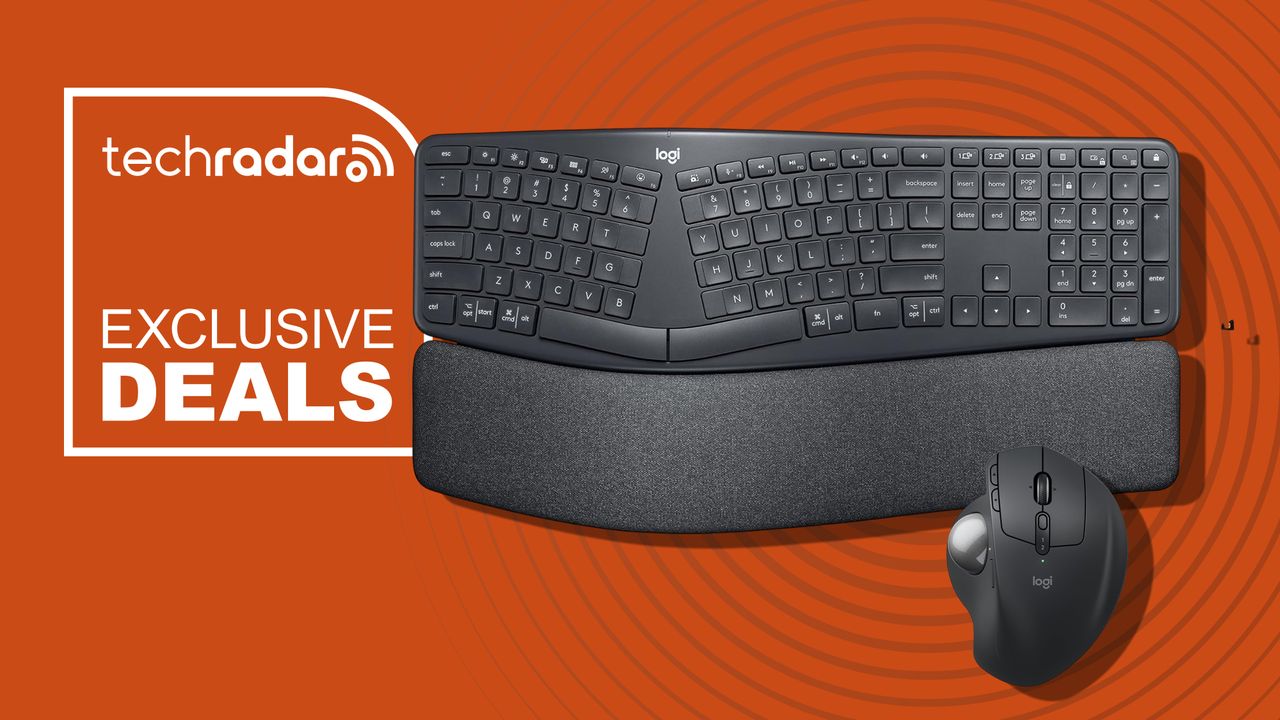
Logitech MX Ergo S trackball mouse and Ergo K860 split keyboard bring ergonomic comfort for your employees, and both are 15% off right now
Logitech is behind some of our favorite productivity peripherals and desk accessories - and right now, the company is running a big office upgrade sale as part of Amazon for Business Brand Week.
<![CDATA[ <article> <p>Logitech is behind some of our favorite productivity peripherals and desk accessories - and right now, the company is running a <a href="https://www.amazon.com/b?node=221421937011" target="_blank">big office upgrade sale</a> as part of Amazon for Business Brand Week. </p><p>Two accessories catching my eye, that pair perfectly, are the <a href="https://www.amazon.com/Logitech-Trackball-Rechargeable-Ergonomic-Programmable/dp/B0D6PTR6MP" target="_blank">Logitech MX Ergo S Advanced Wireless Trackball Mouse for $102 (was $120)</a> and the <a href="https://www.amazon.com/Logitech-Wireless-Ergonomic-Keyboard-Wrist/dp/B07ZWK2TQT" target="_blank">Logitech Ergo K860 Wireless Ergonomic Split Keyboard for $128 (was $150) at Amazon</a>. </p><p>Driving the deals for business users is Logitech's desire to highlight that 'bargain' office equipment comes with hidden costs for corporate buying teams. </p><div class="product"><a data-dimension112="7f4352b0-a06a-11f1-8983-37d34d75d3e7" data-action="Deal Block" data-label="Ergo K860 Wireless Ergonomic Split Keyboard" data-dimension48="Ergo K860 Wireless Ergonomic Split Keyboard" data-dimension25="$127.49" href="https://www.amazon.com/Logitech-Wireless-Ergonomic-Keyboard-Wrist/dp/B07ZWK2TQT" target="_blank" rel="nofollow"><figure class="van-image-figure " ><div class='image-full-width-wrapper'><div class='image-widthsetter' style="max-width:500px;"><p class="vanilla-image-block" style="padding-top:100.00%;"><img id="DodnVXtoF63kaeHWbWvLCd" name="logitech-ergo-k860-wireless-ergonomic-sp-edde23d2-baea-47af-b45f-83e0e6f7a844.jpg" caption="" alt="" src="https://cdn.mos.cms.futurecdn.net/DodnVXtoF63kaeHWbWvLCd.jpg" mos="" align="middle" fullscreen="" width="500" height="500" attribution="" endorsement="" credit="" class=""></p></div></div></figure></a><p><strong><a href="https://www.amazon.com/Logitech-Wireless-Ergonomic-Keyboard-Wrist/dp/B07ZWK2TQT" target="_blank" rel="nofollow" data-dimension112="7f4352b0-a06a-11f1-8983-37d34d75d3e7" data-action="Deal Block" data-label="Ergo K860 Wireless Ergonomic Split Keyboard" data-dimension48="Ergo K860 Wireless Ergonomic Split Keyboard" data-dimension25="$127.49">Ergo K860 Wireless Ergonomic Split Keyboard: was $149.99 now $127.49</a></strong><br>Curved split keyframe, integrated memory-foam wrist rest, adjustable palm lift, full-size layout, quiet scooped keys, Bluetooth and USB receiver connectivity, with customizable function keys.<a class="view-deal button" href="https://www.amazon.com/Logitech-Wireless-Ergonomic-Keyboard-Wrist/dp/B07ZWK2TQT" target="_blank" rel="nofollow" data-dimension112="7f4352b0-a06a-11f1-8983-37d34d75d3e7" data-action="Deal Block" data-label="Ergo K860 Wireless Ergonomic Split Keyboard" data-dimension48="Ergo K860 Wireless Ergonomic Split Keyboard" data-dimension25="$127.49">View Deal</a></p></div><div class="product"><a data-dimension112="7f435332-a06a-11f1-906d-2961420a4d51" data-action="Deal Block" data-label="MX Ergo S Advanced Wireless Trackball Mouse" data-dimension48="MX Ergo S Advanced Wireless Trackball Mouse" data-dimension25="$101.99" href="https://www.amazon.com/Logitech-Trackball-Rechargeable-Ergonomic-Programmable/dp/B0D6PTR6MP" target="_blank" rel="nofollow"><figure class="van-image-figure " ><div class='image-full-width-wrapper'><div class='image-widthsetter' style="max-width:500px;"><p class="vanilla-image-block" style="padding-top:100.00%;"><img id="vdnDh4QEnf7SVamqCyoxgd" name="logitech-mx-ergo-s-advanced-wireless-tra-1a06b7ed-718f-4765-a455-55b86e467654.jpg" caption="" alt="" src="https://cdn.mos.cms.futurecdn.net/vdnDh4QEnf7SVamqCyoxgd.jpg" mos="" align="middle" fullscreen="" width="500" height="500" attribution="" endorsement="" credit="" class=""></p></div></div></figure></a><p><strong><a href="https://www.amazon.com/Logitech-Trackball-Rechargeable-Ergonomic-Programmable/dp/B0D6PTR6MP" target="_blank" rel="nofollow" data-dimension112="7f435332-a06a-11f1-906d-2961420a4d51" data-action="Deal Block" data-label="MX Ergo S Advanced Wireless Trackball Mouse" data-dimension48="MX Ergo S Advanced Wireless Trackball Mouse" data-dimension25="$101.99">MX Ergo S Advanced Wireless Trackball Mouse: was $119.99 now $101.99</a></strong><br>Thumb-operated trackball, 20-degree adjustable tilt, six customizable buttons, Bluetooth, Logi Bolt receiver, USB-C charging, up to 120-day battery life and 80% quieter clicks.<a class="view-deal button" href="https://www.amazon.com/Logitech-Trackball-Rechargeable-Ergonomic-Programmable/dp/B0D6PTR6MP" target="_blank" rel="nofollow" data-dimension112="7f435332-a06a-11f1-906d-2961420a4d51" data-action="Deal Block" data-label="MX Ergo S Advanced Wireless Trackball Mouse" data-dimension48="MX Ergo S Advanced Wireless Trackball Mouse" data-dimension25="$101.99">View Deal</a></p></div><h2 id="why-we-recommend-them">Why we recommend them</h2><p>The MX Ergo S mouse and Ergo K860 keyboard make sense together because they're both designed around making long periods at a computer more comfortable, but they approach the problem very differently.</p><p>The MX Ergo S keeps your hand largely stationary, with your thumb controlling the trackball instead of moving the mouse around your desk. Its 20-degree tilt, sculpted shape and quieter clicks make it an interesting alternative to a conventional mouse, while six programmable buttons add useful productivity options.</p><p>In his <a href="https://www.techradar.com/reviews/logitech-mx-ergo-wireless-trackball-mouse" target="_blank">4.5-star review</a> of the older but very similar MX Ergo Wireless trackball, our expert Jon called it: "an exceptionally designed product that’s a joy to use. It might not have re-invented the wheel, but when it works this well it’s hard to ask for much more."</p><p>The Ergo K860 uses a curved, split design that places your hands at a more natural angle, backed by a substantial memory-foam wrist rest.</p><p>In her <a href="https://www.techradar.com/reviews/logitech-ergo-k860-keyboard" target="_blank">4-star review</a>, our expert Rosario said the "K860 keyboard does its job of providing support, comfort and reducing physical strain." She added it "has great features like its curved, split design, and a double-layered soft foam wrist rest with front end tilt legs. While initially awkward to use, you soon get used to it."</p><p>Both devices can connect wirelessly through Bluetooth or their included USB receivers, and Logitech's software provides additional customization.</p><h2 id="price-context-amp-historical-value-2">Price context & historical value</h2><p>The Logitech MX Ergo S is currently $101.99 at Amazon, down from $119.99, and the Ergo K860 is $127.49, down from $149.99, a 15% saving on both. We have seen the mouse cheaper in the past — it was briefly $84 earlier in the year — and the keyboard has been as low as $102. It's possible you might be able to pick up either or both devices for less in the future, but this is still a decent offer for office buying teams upgrading business gear for multiple staff. </p><h2 id="should-you-buy-them">Should you buy them?</h2><p>✅ <strong>Buy the MX Ergo S and Ergo K860 if... </strong></p><p>The Logitech MX Ergo S is worth considering if you spend long hours working and want to reduce how much you move your arm. Its thumb-controlled trackball, 20-degree tilt, six customizable buttons and up to 120-day battery life make it particularly well suited to productivity.</p><p>The Logitech Ergo K860 is good if typing comfort is your priority. Its curved split layout, pillowed wrist rest and adjustable palm lift are designed to encourage a more natural position.</p><p> ❌ <strong>Skip the MX Ergo S and Ergo K860 if... </strong></p><p>Give the MX Ergo S a miss if you've never got along with trackballs or prefer the speed and familiarity of moving a conventional mouse. It's also designed primarily for medium- to large-sized hands.</p><p>The Ergo K860 won't suit everyone either. Its split curved layout takes some adjustment. It's also a large keyboard at 17.95 x 9.17 inches so occupies a lot of desk space.</p><h2 id="the-catch-what-to-know-before-you-buy-2">The Catch: What to know before you buy </h2><p>It's worth noting that you need to be comfortable adapting to this keyboard and mouse set up. The MX Ergo S uses a thumb-operated trackball rather than traditional mouse movement and it's not one for left-handed users. The Ergo K860's curved split layout will initially also feel unusual if you've spent years typing on conventional keyboards.</p><ul><li><a href="https://www.amazon.com/b?node=221421937011" target="_blank">Shop all Logitech for Business deals Amazon</a></li></ul> </article> ]]>
Read the full article on TechRadar
Read Full Article →